- Slicers can be sync’d across pages. See Master Slicer page for an example. Syncing slicers across pages means you don’t need to create a new slicer for every page. The Master Slicer page filters all other sheets in the report (scorecards have been excluded)
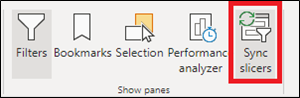
- After selecting a slicer, click on “Sync slicers” in the menu ribbon under the View tab
Within the Sync slicers option pane that opens on the side, you can select how a slicer affects and appears
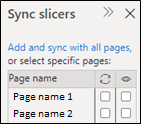
Arrows = which pages slicer affects, eye = which pages slicer appears on