Figure out how to indent lists (tab currently selects next element of webpage instead of indenting)- The keyboard shortcut for this is “Space” and to outdent it is “Backspace”. Move mouse over text to trigger the pop up menu, and click this icon:

- Figure out how to create reusable blocks, then figure out how to turn that off
- This may actually be the “Learn More” block included on every page, that persisted after deleting everything
- Short way: https://nickto.opened.ca/wp-admin/edit.php?post_type=wp_block
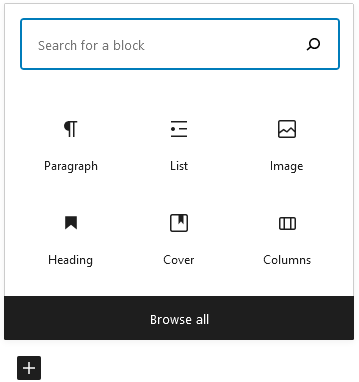
- Long way: Go to page editor, then click the plus icon to add a new block:

- [Figure out how to create reusable blocks, then figure out how to turn that off] cont’d
- Click on “Browse All”:
- It got deleted again, text version only cont’d
- Browse all
- On the left menu that pops up, click on the Reusable tab on the top right
- Then click on “Manage all reusable blocks”
- This should take you to a page where you can edit or trash the appropriate reusable blocks